
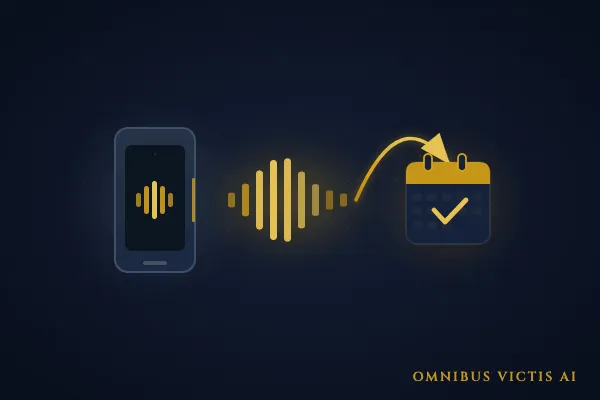
How We Built an AI Phone Bot That Automatically Books Appointments for a Local Business (Step-by-Step)
What we built and what it does: We built Victoria — a GHL Voice AI phone bot deployed on a live business line (301) 882-3111 in Frederick, Maryland. Victoria answers every inbound call, runs through a qualifying conversation, and texts callers a direct booking link so they can schedule an appointment themselves. It operates around the clock without staff involvement. Calls that previously went to voicemail — and were never returned — now convert into booked appointments. The result: a business that books appointments 24/7 without anyone picking up a phone. This post documents the exact build process, the tools we used, and the decisions that made it work.
Most small businesses still treat the phone like it is 2005. Someone calls. No one answers. Voicemail. Maybe a callback two days later — if anyone remembered to check.
That gap between when someone calls and when they hear back is where leads die. Not because the business is bad at what it does, but because the phone system was never designed to actually convert callers into booked appointments.
We built a fix for that. This post documents how.
What Victoria Actually Does
Victoria is a GHL Voice AI bot running on a live business line. When someone calls, Victoria answers — not a voicemail recording, but an actual conversational AI that engages the caller, gathers information, and routes them toward booking.
Here is the specific sequence:
Caller dials the business number.
Victoria answers, greets the caller by name if the number is recognized in the CRM, and opens with a discovery question.
Victoria runs through a short qualification flow: what they need, timeline, any constraints.
If the caller is a qualified lead, Victoria offers to send them a booking link via SMS.
The caller receives a text with a direct calendar link and books on their own schedule.
The contact record in GoHighLevel is updated automatically, including a note from the call.
No staff needed. No voicemail. No two-day callback window.
The result that matters: the business now books appointments 24/7 without staff handling a single inbound call.
Why Phone Automation Gets Ignored? (and Why That Is a Mistake?)
Most small business owners who have looked at automation have tackled forms, emails, and maybe SMS follow-ups. The phone gets left alone because it feels harder to automate.
It is not harder. It just requires a different tool.
Here is what the "un-automated" phone situation actually costs:
The 47-hour average callback window is not a made-up number. It is a consistent finding across studies on small business lead response. When someone calls a business and cannot get a person, the majority of them do not call back a second time. They call the next business on the list.
Victoria eliminates that window entirely.
How We Built It: The Step-by-Step Process
Here is what went into it.
Step 1: Set Up the Business Line in GHL
We started with a dedicated phone number provisioned inside GoHighLevel. This is not a forwarding number layered on top of an existing line — it is a number fully owned and managed inside GHL, which gives the system full control over how calls are handled.
If you are already running GHL, you provision this under Settings → Phone Numbers → Buy Number. Choose a local number. In our case the number is (301) 88-23111, which serves the Frederick, MD area.
The key at this stage is making sure A2P registration and SHAKEN/CNAM are completed before going live. We had already handled that for Omnibus Victis, so the number was trusted by carriers from day one — no spam flagging, full caller ID display.
Step 2: Configure the Voice AI Agent in GHL
Call flow: This is the part that takes the most care. Victoria is not a phone tree that asks callers to press 1 or 2. She holds a real conversation: she greets the caller, finds out what they need, and offers the next step when it makes sense.
Ground rules: Victoria stays on topic, and if a caller asks for a person, she takes a callback request instead of trying to keep them on the line. The bot handles most calls, but it never traps someone who wants a real conversation.
Step 3: Build the SMS Booking Trigger
When a caller is a good fit, Victoria offers to text them a link to book. The text arrives while the call is still fresh, and the link opens a booking page with the open times, a short description of each service, and a confirmation email once they pick a slot.
The caller books whenever it suits them. No phone tag.
For more on how this booking flow connects to the broader automation stack, see our walkthrough on how to automate bookings and follow-ups.
Step 4: Set Up the "Transcript Generated" Workflow Trigger
Every call Victoria takes leaves a recording and a transcript in GoHighLevel. We set things up so the important details from each call land on the contact record without anyone typing them in:
- A short summary of the call
- What the caller said they needed
- Whether they got the booking link
When someone on the team picks up the follow-up, the context is already on the contact.
Step 5: Test Before Going Live
Before Victoria answered a single real customer, we put her through test calls covering the situations a business line actually sees: a caller who is a good fit, a caller who is not, and a caller who just wants a person. We listened to every recording, read every transcript, and kept adjusting until the conversation sounded natural and each kind of caller ended up in the right place.
Step 6: Monitor the First Two Weeks
Going live starts the tuning phase. We watch the first weeks of real calls closely and fix anything that sounds off or sends a caller the wrong way. Once the calls look consistent, we check in less often.
What This Looks Like in Practice
One consistent pattern we saw after Victoria went live: calls that previously arrived outside business hours — evenings, weekends — now had somewhere to go. Before, those calls hit voicemail. In many cases the callers never left a message.
With Victoria active, those same callers had a real conversation, got the information they needed, and either booked directly or received a follow-up link. The phone line was no longer a dead end after 5 PM.
For a small business in Frederick, Maryland that does not have the budget to staff a call center, that is a meaningful change in how the business competes.
If you want to understand how this fits into the broader automation picture — what else gets built alongside a voice bot — see our post on How GoHighLevel works for small businesses and our breakdown of the top automation tasks small businesses should tackle first.
What This Build Costs at Our Agency
Victoria was built and deployed as part of our Foundation tier at $997/month. That tier covers the initial build, the GHL configuration, the Make.com workflows, and the first 30 days of monitoring and tuning.
For businesses that need more — additional AI agents, multi-channel follow-up sequences, or CRM enrichment on top of the voice bot — our Growth tier ($2,497/month) covers the full stack.
The phone bot does not require ongoing agency involvement to operate once it is live and stable. It runs. If call patterns shift or a new service needs to be added to the flow, that is a short configuration update, not a rebuild.
Frequently Asked Questions
Does the AI phone bot work with any business phone number, or does it require a new number?
Victoria runs on a number provisioned and managed inside GoHighLevel. In most cases we provision a new local number rather than porting an existing one, because the automation stack requires full control over how calls are handled. If number continuity matters to your business, porting is possible, but it adds setup time.
What happens if a caller asks a question the bot is not configured to answer?
We build the call flow to handle the most common questions and objections for each business. If a caller asks something outside that scope, Victoria is configured to acknowledge the question, let the caller know someone will follow up, and log the inquiry. The call does not just dead-end.
Can the bot handle multiple calls at the same time?
Yes. Unlike a human answering the phone, Victoria handles concurrent calls without any degradation in response time or quality. For businesses with high inbound call volume, this is one of the most immediate operational benefits.
Is there a way to listen to call recordings after the fact?
Every call Victoria handles generates a recording and a transcript inside GoHighLevel. You can review them at any time from the contact record or the conversations panel. We also build workflows that flag calls requiring human follow-up, so nothing falls through.
How long does it take to build and go live?
The core build is number provisioning, Voice AI configuration, booking workflow, and CRM integration, which typically takes one to two weeks from kickoff to live. That includes testing. The tuning phase after launch runs for two to four weeks before the system is fully dialed in.
About the author
Brian Stratton is the founder of Omnibus Victis AI, an AI automation agency based in Frederick, MD. He builds AI agentic automation systems for small businesses and nonprofits.

