
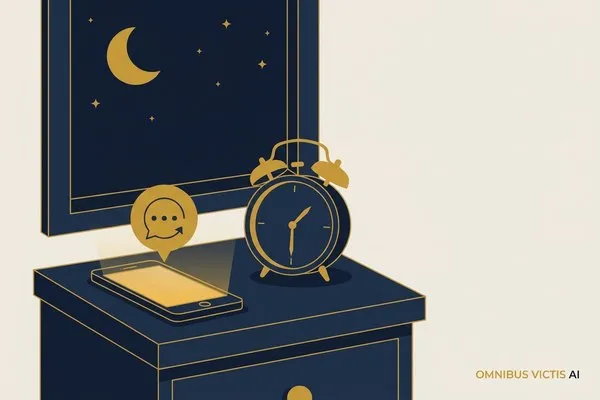
Our Own Automation Texted a Client at 1:29 in the Morning
Quick answer: Any tool that can message a customer will, sooner or later, message one at the wrong hour or in a form they can't read. We did both to our own client in a single day: an automatic text at 1:29 in the morning, and a contract email with a link he could not see. Three habits catch most of this. Give every automatic message quiet hours, send it to yourself before any customer gets it, and look at what actually arrives on a real phone.
What happened
I sell automation to small businesses, so this is an awkward post to write. That is the reason to write it.
At 1:29 in the morning, our system sent a text to a client. We had a call with him a few hours later to get his project started. Nobody typed that text. Late that night I had moved his record forward one step in our own sales system, and that move set off an automatic nudge. The automation did exactly what it was built to do. It just did it to the wrong person, at an hour when no business should be texting anybody.
The same day we found a second problem. The contract email we had sent him showed its link as white lettering on a white background. The link was in the email. He couldn't see it. There was no bounce and no error message. The deal sat still, and from our side that silence looked like a client taking his time to think it over.
Two mistakes, one client, one day, both ours. And here is the part worth remembering: neither one was a broken tool.
A missing limit, not a broken tool
When an automation misfires, the easy word for it is "glitch." It is usually wrong.
The 1:29 text was supposed to exist. It was not supposed to go out in the middle of the night. The contract email was supposed to carry a link. Nobody checked that a person could see it. In both cases the tool worked and a limit was missing. That is good news, because a missing limit is something you can add on a Tuesday afternoon.
It also changes what you look for. Most owners think of "sending a message" as a thing they do on purpose. In a lot of software, messages also go out because something else changed: a customer's status, a date on the calendar, a step in the sales process. Changing a record can be a send. If you take one idea from this post, take that one, and before you click anything that changes where a customer stands, find out what that click sets off.
Habit one: give every automatic message quiet hours
Every message your system can send without you should have a window it is allowed to send in. Business hours, in the customer's time. When something triggers a message at 1am, it waits until morning instead of buzzing a nightstand.
Think about how a 1am text reads to the person who gets it. Either the business made a mistake or the business doesn't care what time it is. Neither one builds trust, and trust is most of what a home services customer is buying when they let you into their house.
If you notice something firing at night and you aren't sure what it is, pause it. Pausing costs nothing and you can turn it back on in the morning. A sequence left running at night keeps going.
Texting rules differ from place to place, so check the texting rules in your state too. Quiet hours are a courtesy first. Whatever the rules say, a customer should never have to wonder why their phone lit up at 1:29.
Habit two: test on yourself first
Before a customer receives any automatic message, you receive it.
Set yourself up as a pretend customer with your own phone number and email. Then trigger the message the way a real customer would, by booking, by filling out the form, by moving your own fake record to the next step. Then wait and see what shows up, and when.
It catches the wrong hour, the wrong name, a greeting that says "Hi ," with a blank where the first name should be, and a message you forgot was even switched on. It takes a few minutes, and it is much cheaper than finding out from a customer.
Habit three: look at what the customer actually sees
Our contract link looked fine in the place we wrote it. That was the problem. The editor is where it looked fine. The customer never sees the editor.
So open the real message, on a real phone, in the app the customer will use. If the message carries something they have to act on, like a contract, an invoice or a booking link, make sure the link is visible and that tapping it works.
For anything that important, send it on more than one channel. Once we found the problem, we sent the contract link again by email and by two separate texts, so he had it in hand that same day.
And a related lesson: when a customer goes quiet right after you send something important, check the thing you sent before you decide what their silence means. We read ours as a client thinking it over. It was a link nobody could see.
Owning it with the customer
If your system misfires on a customer, say so before they bring it up. A strange message from the company selling them a service is a fair thing for a customer to notice, and it's even more fair when that company sells automation. Name what happened, say what you changed, and move on. Hiding it is the only version that costs you anything.
What this does not do
Quiet hours would have held that text until morning. They would not have asked whether he needed a nudge at all. A send window fixes the hour. It does not fix a message that should never have gone out, and you still have to know what every automatic message is for.
Testing on yourself proves what your phone and your email app show. Your customer may be on a different phone or reading in a different app, so a clean test means the obvious problems are gone. It does not promise every customer sees exactly what you saw.
None of this is legal advice, and it doesn't replace knowing the rules where you work.
And no checklist replaces a person who notices. Habits make the looking quicker, but somebody still has to look.
A ten-minute check before the holidays
A lot of businesses turn on holiday promotions and reminders in late November. Before you do, sit down with a notepad.
1. List every message your system sends without you typing it: texts, emails, reminders, review requests, follow-ups. 2. Next to each one, write what sets it off. Include the quiet triggers, like changing a customer's status or moving a job forward. 3. Write the hours each one is allowed to send. If you can't answer that, assume it can send at 2am. 4. Send each one to yourself and read it on your phone, links included.
If every line on that list has a trigger you understand, a window it sends in, and a test you saw with your own eyes, you are in better shape than we were.
FAQ
Can an automated text really go out without anyone pressing send?
Yes. Many business tools send messages when something about a customer changes, such as a status, a date or a step in your process. That's useful until the change happens at midnight. Learn what each change in your system sets off before you rely on it.
What hours should automated business texts go out?
Business hours in the customer's time zone is a sensible default, and your state may have its own rules on top of that, so check them. The point is courtesy. A customer should never get a text from your business while they're asleep.
Brian runs Omnibus Victis AI, working with home services businesses in Maryland.

